100% on-device · No upload · No account

TS Video to MP3 — Scoop the sound out of any video

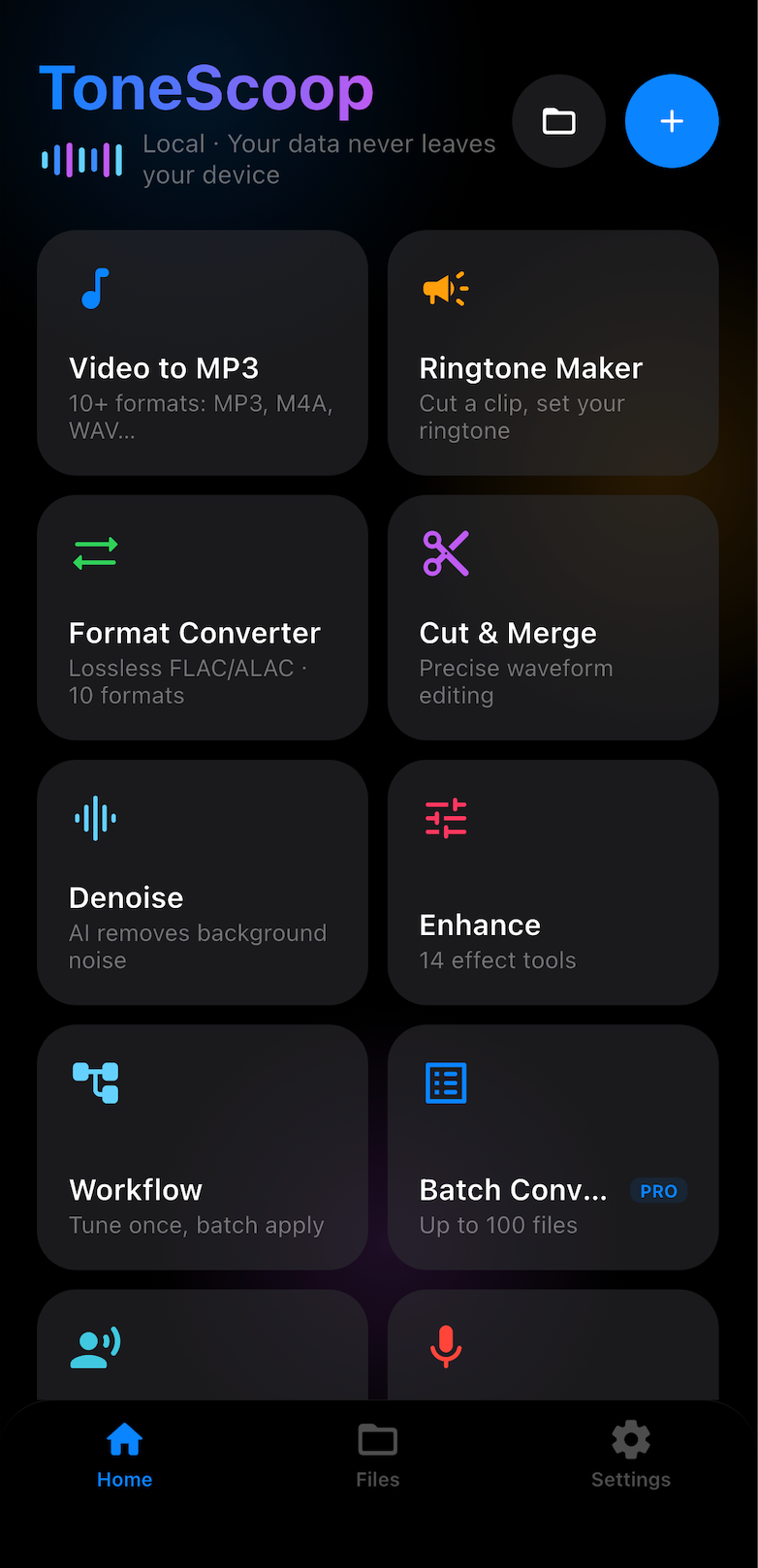
Video to MP3, AI vocal remover, ringtone maker and a full audio toolkit — all processed locally on your device. Your audio never leaves your phone.

TS Video to MP3 — extract audio from any video
How it works

From song to sound in three steps

No tutorials needed — every job is Import, Process, Export.

01

Import

Pull in audio or video from your library, the share sheet, or a file — MP3, M4A, FLAC, OGG, Opus and more.

02

Process

Separate vocals, remove noise, cut, merge, equalize or enhance — on-device AI and FFmpeg, no upload.

03

Export

Save as MP3, M4R ringtone, FLAC or WAV — set it as your ringtone or share it anywhere in one tap.

One app for every audio job

Convert, separate, trim, enhance and organize your audio — no desktop computer required.

Video to MP3

Extract audio from video and save it as MP3.

MP3Bitrate controlOn-device

Vocal Remover

Remove vocals, keep the instrumental for karaoke, or extract the acapella.

KaraokeAcapellaAI on-device

Ringtone Maker

Pick a waveform section, add fade in/out, export M4R — set it as your ringtone.

M4RFade in/outiPhone & Android

Cut & Merge

Trim and merge audio with precision waveform selection — perfect for mixtapes and podcasts.

Audio cutterMergeFade

10-Band Equalizer

Ten bands from 31 Hz to 16 kHz with one-tap presets to shape your sound.

31Hz–16kHzPresets

Enhance & Denoise

One-tap audio denoiser, auto gain and bass booster — a 9-effect enhancement chain.

DenoiseBass boostAuto gain

Batch Converter

Queue multiple files and convert them all to MP3 in one go.

Multi-fileRetry on failure

Format Converter

Convert between MP3, AAC, WAV, FLAC, OGG and Opus.

m4a→mp3flac→mp3ogg→wav

Workflow

Save an effect chain as a reusable workflow — tune once, batch apply.

Reusable chainOne-tap

Voice Changer

8 voice presets to transform your recordings.

8 presetsOn-device

Record

Record a voice memo — saved locally, then trim or enhance it.

Voice memoTrim & enhance

WiFi Transfer

Send files straight from your computer's browser — no cable needed.

No cableBrowser uploadLocal network
Enhancement Workflow

Chain your effects. Run them in one pass.

Pick a file, arrange the chain, and TS Video to MP3 runs every effect on-device — denoise, EQ, bass boost, vocal boost and more, in one pass.

Input
Denoise
Auto Gain
EQ
Bass
Vocal Boost
Reverb
Stereo
Output
Available everywhere

One toolkit, every device

Same engine, same library, same results — pick your platform.

Mac

Native desktop experience for macOS 14+ — drag and drop, batch workflows, full-resolution waveforms.

Coming soon

Android

Optimized for the Play ecosystem — convert, separate and set ringtones directly from the app.

Google Play

Your audio never leaves your phone

TS Video to MP3 processes every file locally with on-device AI and FFmpeg. There are no servers, no uploads and no accounts — private by design.

Offline & on-device No account required No audio upload GDPR-friendly

Simple pricing

Start free, upgrade when you want more. Prices are set on the App Store / Google Play and may vary by region.

Free
$0
Forever
  • Daily conversion quota
  • Watch an ad to earn extra conversions
  • All core formats supported
Get TS Video to MP3
TS Video to MP3 Pro
$6.49/year
Best value — save 96% vs weekly
Weekly$2.99/week
Yearly$6.49/year
Lifetime$15.99 one-time
  • Unlimited conversions
  • Ad-free experience
  • All features unlocked
  • Support independent development
Go Pro

Frequently asked questions

Everything you need to know before you hit download.
Is TS Video to MP3 free?
Yes. TS Video to MP3 is free to download and includes a free tier with a daily conversion quota. Free users can watch an incentivized ad to earn extra conversions. TS Video to MP3 Pro removes all limits and ads with a subscription or a one-time lifetime purchase.
Does TS Video to MP3 upload my audio to a server?
No. Every conversion and effect is processed locally on your device using on-device AI and FFmpeg. Your local audio files are never uploaded to our servers — in fact, we have no servers that could receive them. TS Video to MP3 works fully offline.
Can I remove vocals from a song and keep the instrumental?
Yes. The built-in vocal remover separates vocals from accompaniment using on-device AI. Export the instrumental track for karaoke or the acapella for remixing. Perfect for personal use.
Can I make an iPhone ringtone with TS Video to MP3?
Yes. Pick any section of a song on the waveform, apply fade in/out, and export it as an M4R ringtone. Make your own custom ringtone from any MP3 or video, then set it on your iPhone — no desktop computer needed. Android ringtones can be set directly from the app.
Which audio formats are supported?
TS Video to MP3 converts between MP3, AAC, WAV, FLAC, OGG and Opus, and extracts audio from most common video formats. You can convert m4a to mp3, flac to mp3, ogg to wav and more, with full control over bitrate, sample rate and channels.
Does TS Video to MP3 work offline?
Yes. TS Video to MP3 is a fully offline audio app — every conversion, vocal separation, noise reduction and effect runs on your device. You only need an internet connection if you choose to watch ads in the free tier.
Can I extract music from a video?
Yes. Use TS Video to MP3 to extract music from video in one tap — import any clip and it saves the audio as MP3. It also works as a full video to audio converter: rip audio from video for offline listening, with adjustable bitrate and quality.
Can I use TS Video to MP3 as a karaoke maker?
Yes. The vocal remover strips the vocals from any song while keeping the instrumental — remove vocals, keep instrumental for karaoke, or extract vocals (acapella) for remixing and singing practice.
Can I cut or merge audio files?
Yes. TS Video to MP3 includes an audio cutter and an audio trimmer with precision waveform selection — cut any section and apply fade in / fade out. You can also merge audio files and join songs in any order to build mixtapes, podcasts or ringtones.
Can TS Video to MP3 reduce noise or enhance my recordings?
Yes. The one-tap noise reducer cleans up hiss and background hum — a built-in audio denoiser for recordings and voice memos — while the audio enhancer chain adds bass boost, auto gain, reverb and more. A voice enhancer preset helps vocals cut through in interviews, podcasts and voice memos.
How do I convert audio formats?
TS Video to MP3 is an audio format converter supporting MP3, AAC, WAV, FLAC, OGG and Opus — convert m4a to mp3, flac to mp3, ogg to mp3, opus to wav or aac to mp3 with full control over bitrate, sample rate and channels.
How do I make an M4R ringtone from an MP3?
Select any part of an MP3 on the waveform, apply fade in / out, and export it as an M4R file — TS Video to MP3 converts mp3 to m4r and guides you through setting it as your iPhone ringtone.